Keep the document’s time format
Recognise times such as 08:15 and 08h15m, add custom formats and adjust both ends of a time range together.
Turnaround · macOS
Adjust times in call sheets, timetables and other PDFs on your Mac. Apply a shift, review individual corrections and export a revised copy.
(the schedule correction)
For production teams and assistant directors correcting a call sheet or a schedule they already have as a PDF.
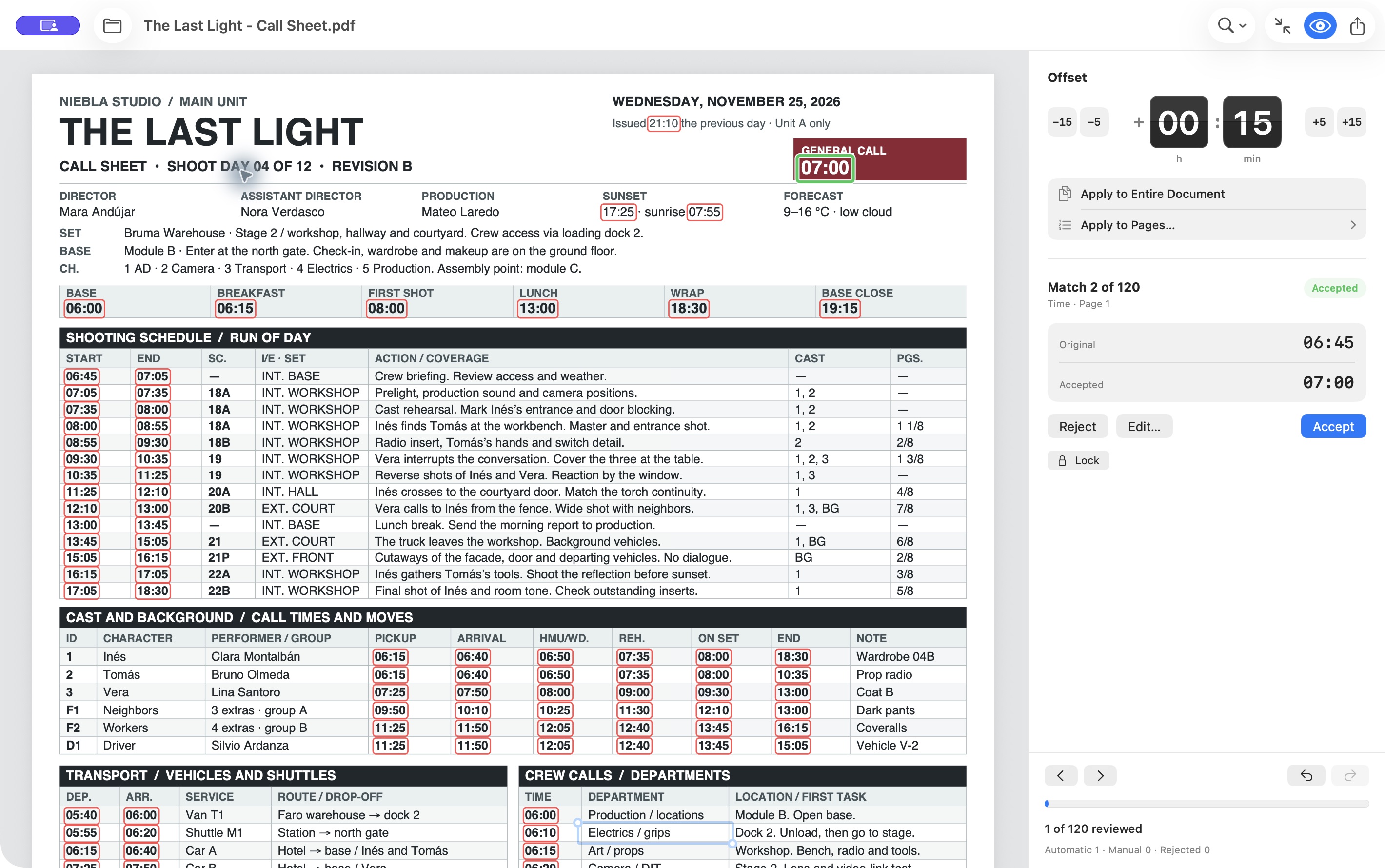
Turnaround highlights time matches in the document. On-device OCR can pull times from scanned pages and images.
Shift times by a set number of minutes across selected pages or the whole document. Accept, keep or edit individual matches.
Compare the revised view with the original and save a separate PDF. Turnaround reports any changes it could not apply.
Recognise times such as 08:15 and 08h15m, add custom formats and adjust both ends of a time range together.
Apply a shift to a page, a list of pages or a range. Lock timings you want to keep and undo changes while you review.
Switch between the original and the revised view. The copy uses visual overlays, so the original text may still appear in searches or when selected.
(coming soon, without a release date)
Files & privacy
Turnaround reads the PDFs you choose, runs OCR on the device and saves the copy where you choose. The app runs offline and does not collect documents or usage data.
Read the privacy policyA question about Turnaround? Tell us what you need it to do in your working day.
support@parentheticalapps.com(a person at the other end)